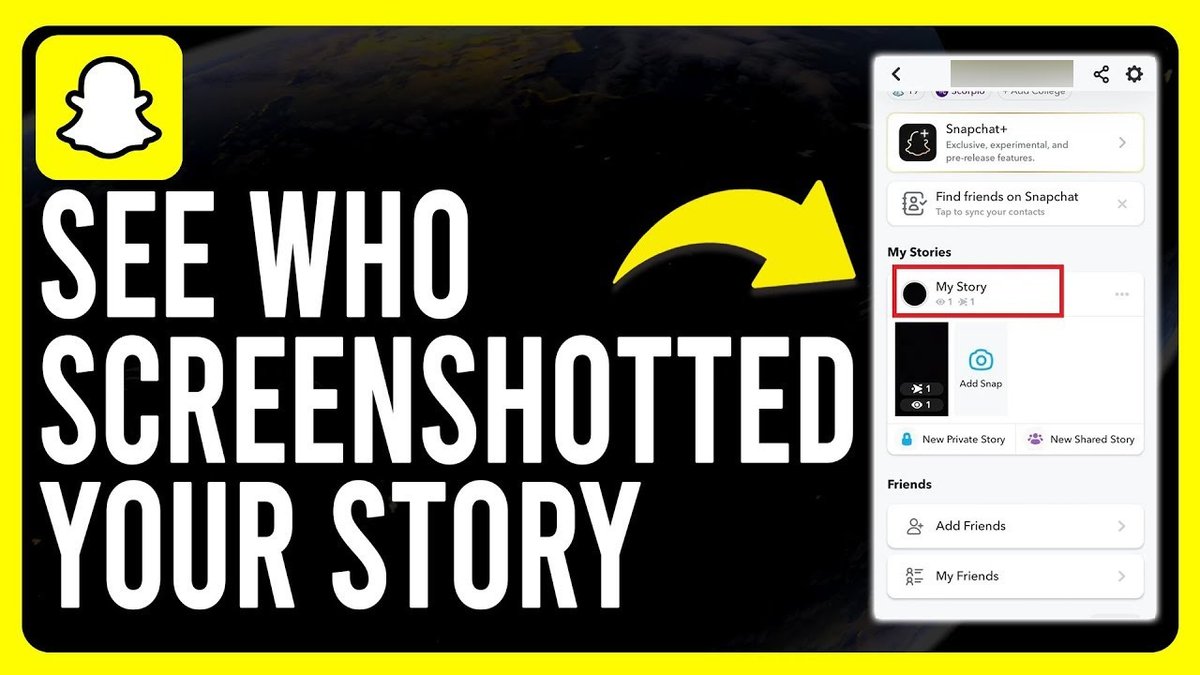
Discovering that someone has saved your fleeting Snapchat Story can feel like a privacy breach. The core question is straightforward: can someone see if you screenshot their Snapchat story? The answer is generally yes, but the devil is in the details. Snapchat has built-in mechanisms to alert users when their ephemeral content is captured, creating a system of digital accountability (though not foolproof).
At a Glance:
- Snapchat typically notifies users when their Story is screenshotted with a distinctive icon.
- There are limited, often unreliable, workarounds to bypass these notifications.
- Your privacy settings play a crucial role in controlling who can view (and potentially screenshot) your Story.
- Beyond the technical aspects, respect for digital privacy should be paramount.
- Understanding your notification and privacy settings is your first line of defense.
The Snapchat Screenshot Notification System: How It Works
Snapchat's primary defense against unseen screenshots is its notification system. When you post a Story, Snapchat tracks who views it. If someone takes a screenshot, a small screenshot icon (two overlapping arrows forming a square) appears next to their name in your Story viewer list. This isn't subtle; it's a clear indicator.
This notification system extends to disappearing photos and videos sent in direct chats. If you send a disappearing Snap, you’ll receive a notification if the recipient screenshots it. This helps maintain a level of transparency and control over your shared content.
Example: Imagine Sarah posts a Story showcasing her new puppy. John, one of her friends, takes a screenshot because he finds the puppy adorable. Sarah will see the screenshot icon appear next to John's name in her Story viewers, letting her know he saved the content.
Circumventing the System: Are There Workarounds?
The internet is rife with claims of foolproof methods to screenshot Snapchat content undetected. However, most are either unreliable, outdated, or even risky.
The Airplane Mode Myth: A common suggestion is to enable airplane mode before taking a screenshot. The theory is that this prevents Snapchat from sending the notification. However, this workaround is highly inconsistent. Snapchat's detection methods have become more sophisticated, and this trick often fails.
Third-Party Apps: Some apps promise to capture Snapchat content without triggering notifications. Using these apps is strongly discouraged. They often require you to share your login credentials, potentially compromising your account security. Snapchat also actively bans users who employ such third-party tools.
The Analog Approach: The only truly undetectable method is to use an external device (like another phone or camera) to photograph the screen. Since this doesn’t involve directly interacting with the Snapchat app, it cannot be detected. This is cumbersome, but it's the primary way to guarantee the sender won’t know.
Older Versions: Older versions of Snapchat might have had less robust screenshot detection. But relying on outdated software is a major security risk and is inadvisable.
Privacy Settings: Your First Line of Defense
While you can't completely prevent screenshots, you can significantly reduce the likelihood by adjusting your privacy settings. Snapchat offers granular control over who can view your Stories.
- "Everyone": Anyone on Snapchat can see your Story. This offers the least privacy.
- "My Friends": Only users you've added as friends can view your Story. This is a good balance between visibility and privacy.
- "Custom": You can specifically select which of your friends can see your Story. This offers the most control.
To adjust your Story privacy settings:
- Tap your profile icon.
- Tap the gear icon (Settings).
- Scroll down to the "Privacy Controls" section.
- Tap "View My Story."
- Choose your desired privacy setting.
Think of it like a guest list for a party. The more exclusive the list, the less likely unwanted screenshots will occur. Regularly review your friends list and remove anyone you don't recognize or trust. This reduces your exposure.
What If Someone Takes an Unauthorized Screenshot?
Even with the best precautions, unauthorized screenshots can happen. So, what recourse do you have?
- Report the User: Within the Story viewers list, press and hold the name of the screenshotter. Select "Report" to alert Snapchat to the potential violation.
- Block the User: If you're uncomfortable with the user's behavior, block them. Go to your Friends list, tap their name, and select "Block." This prevents them from viewing your future Stories and contacting you. Blocking can feel extreme, but it's a powerful tool for controlling your digital boundaries.
Reporting and blocking are reactive measures. Prevention remains the best strategy.
Troubleshooting Screenshot Notifications: What to Do If They're Not Working
Sometimes, Snapchat's screenshot notifications may not function as expected. Here are some common troubleshooting steps:
- Check Notification Settings: Ensure that Snapchat notifications are enabled both within the app and in your phone's settings. Go to Settings > Notifications in both locations.
- Update the App: Outdated app versions can have bugs that affect functionality. Make sure you're using the latest version of Snapchat.
- Verify Network Connectivity: A stable internet connection is required for notifications to be sent and received reliably.
- Reinstall the App: As a last resort, try uninstalling and reinstalling the Snapchat app. This can resolve underlying software issues.
If the problem persists, contact Snapchat support for further assistance.
Screenshotting Public Stories: A Different Ballgame
The landscape changes slightly with public Snapchat Stories, such as those posted by celebrities or brands. While the screenshot notification still applies to you as a friend, these Stories are inherently more public than those shared with a select group of friends.
Snapchat displays "views" on public Stories, allowing creators to gauge their reach. However, the visibility of screenshot notifications for public stories disappears after 24 hours. In short, creators get a snapshot, but not a permanent record, of who screenshotted what.
Ethical Considerations: Respecting Digital Privacy
Beyond the technical aspects, it's crucial to consider the ethical implications of screenshotting someone's Snapchat Story. Snapchat's ephemeral nature implies an expectation of privacy.
- Consider the Sender's Intentions: Did they intend for the content to be shared beyond their immediate circle?
- Ask for Permission: If you want to share a screenshot, ask the sender for permission first.
- Respect Digital Boundaries: Be mindful of the privacy expectations associated with ephemeral content.
Treat others' content as you'd want them to treat yours.
You can find more comprehensive information about Snapchat screenshot alerts in Snapchat screenshot story alerts.
Practical Playbook: Managing Snapchat Story Privacy
Here's a quick start guide to help you manage your Snapchat Story privacy:
- Review and Adjust Privacy Settings: Set your Story privacy to "My Friends" or "Custom" for greater control.
- Regularly Clean Your Friends List: Remove unfamiliar or untrusted users.
- Be Mindful of Content: Think before you post. Consider the potential consequences of sharing sensitive information.
- Educate Your Contacts: Encourage your friends to respect digital privacy.
- Monitor Story Views: Regularly check who is viewing your Stories.
Decision Tree: Should I Screenshot?
- Does the content contain sensitive or private information?
- Yes: Do NOT screenshot without explicit permission.
- No: Proceed to the next question.
- Would the sender likely object to their Story being screenshotted?
- Yes: Do NOT screenshot.
- No: Consider asking for permission before screenshotting.
Quick Answers: Common Questions About Snapchat Screenshots
Q: Does Snapchat notify if I screenshot a text message?
A: No. Screenshot notifications only apply to disappearing photos/videos in chats and to Stories. Text messages are exempt.
Q: Can someone tell if I screenshot their Snapchat profile?
A: No, Snapchat does not notify users when someone screenshots their profile.
Q: I screenshot a Story, and now I feel bad. Can I undo the notification?
A: No, unfortunately, you cannot undo the screenshot notification once it has been sent. Apologize to the poster if you feel it was inappropriate.
Q: Does Snapchat+ offer additional screenshot features?
A: Snapchat+ offers a Rewatch Indicator, letting you know how many times a Snap has been rewatched. It does not affect screenshot notifications.
Take Action: Your Next Steps for Enhanced Snapchat Privacy
Ultimately, managing your Snapchat Story privacy is a multi-faceted approach. Understanding the notification system, controlling your privacy settings, and respecting digital boundaries are all crucial. Start by reviewing your privacy settings today. Reflect on your sharing habits and ask yourself: am I comfortable with anyone potentially capturing this content? If the answer is no, adjust accordingly. Even simple steps will greatly improve your control.
