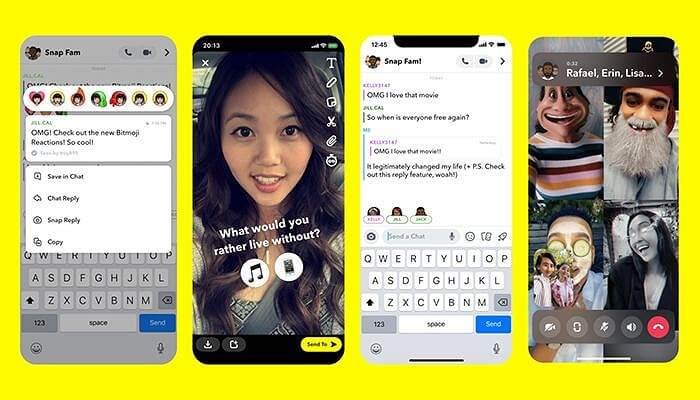
Worried about taking a screenshot of a hilarious Snapchat story? The big question on everyone's mind is: can someone tell if you screenshot their Snapchat story? It's a valid concern, as Snapchat is known for its ephemeral nature and privacy features. Let's dive into exactly how Snapchat handles screenshots and what you need to know.
At a glance:
- Snapchat does notify users when you screenshot their story.
- Notifications appear in the story viewer list.
- There are methods to bypass the notification, but consider the ethical implications.
- Once a screenshot notification is sent, it can't be retracted.
- Airplane mode tricks can work, but are unreliable.
How Snapchat Screenshot Notifications Work
Snapchat’s primary function revolves around content that disappears, and screenshot notifications are a key component of that. When you screenshot someone’s story, they’ll see a special icon—a double arrow—next to your name in their story viewer list. This immediately alerts them that you've captured their content. Think of it as Snapchat's way of promoting a degree of accountability and discouraging unwanted saving or sharing of snaps. Want a wider view on Snapchat's screenshot policies? Snapchat screenshot notifications explained in detail in our main guide.
It's worth noting that this notification system applies specifically to stories. Screenshotting disappearing snaps or messages in a one-on-one chat also triggers a notification, which appears directly in the chat window.
Bypassing Screenshot Notifications: Is It Possible?
While Snapchat actively tries to notify content creators of screenshots, users have explored ways to bypass these alerts. But proceed with caution, as bypassing these notifications may be considered unethical.
The Airplane Mode Method: Unreliable at Best
One commonly cited method involves enabling airplane mode before taking the screenshot. The theory is that disconnecting your device from the internet prevents Snapchat from sending the notification. After screenshotting, clear the cache within Snapchat before disabling airplane mode.
Why this is unreliable: Snapchat is constantly updating its system. This method is frequently patched and no longer reliably works. It's also a hassle, and the risk of failure (and therefore, notification) is always present.
Using a Second Device
A straightforward, albeit clunky, method is to simply use another phone or camera to take a picture of the screen displaying the Snapchat story. Since you're not actually using Snapchat's screenshot function, no notification is triggered.
Example: Imagine your friend posts a hilarious story. Instead of screenshotting with your phone, you grab your tablet and snap a photo of your phone's screen.
Screen Mirroring and Recording Apps
Specialized screen recording software like AnyMP4 Screen Recorder let you mirror your phone's screen to a computer and record the content displayed there, all without triggering a notification.
How it Works:
- Download and install the screen recorder on your computer.
- Select the phone recording option.
- Connect your phone to the computer via screen mirroring (often using AirPlay for iOS or a similar feature for Android).
- Open the Snapchat story on your phone.
- Use the screen recorder to capture the desired content.
Important: While technically effective, relying on third-party software raises privacy concerns. Always research the software's reputation and privacy policy before using it.
Ethical Considerations Before You Capture
Before you go ahead and screenshot someone's Snapchat, ask yourself:
- Would they be okay with this being saved and potentially shared? If you're unsure, it's always best to ask for their permission.
- Is the content sensitive or private? Screenshots of private conversations or personal moments should be handled with extreme care.
- Are you planning to use the screenshot responsibly? Avoid sharing the screenshot without the original poster's consent, particularly if it could cause them embarrassment or harm.
Remember, Snapchat's notification system is there to encourage respect for users' privacy and content ownership.
What Happens After a Screenshot Notification is Sent?
Once Snapchat sends a screenshot notification, there's no going back. You can't retract it, and the other person will know that you screenshotted their story or snap. This is designed to promote transparency and discourage sneaky behavior.
Scenario: You accidentally screenshot a story while scrolling through Snapchat. The poster will see the double-arrow icon next to your name in their viewer list, indicating that you captured their content. All you can do is be prepared to explain yourself or even apologize for the unintentional screenshot.
Quick Answers to Common Screenshot Questions
Q: Can someone see how many times I screenshotted their story?
A: No, Snapchat only shows that you screenshotted the story at least once. The notification doesn't track multiple screenshots by the same user.
Q: If I screenshot a group chat, will everyone be notified?
A: Yes, if you screenshot a message in a group chat, all members of the group will receive a notification.
Q: Does Snapchat notify when I screen record a story?
A: Yes, screen recordings are treated the same as screenshots. The user will receive notification that you screen recorded their story.
Q: Can I tell if someone else screenshotted my story?
A: Yes, you can see a list of everyone who viewed your story, including those who took a screenshot, indicated by the double-arrow icon.
Q: Can I turn off screenshot notifications for my own story?
A: No, Snapchat doesn’t offer a setting to disable screenshot notifications for stories. This is a core feature designed to protect users' content.
Actionable Takeaways: Protect Yourself and Respect Others
Here’s a quick guide to navigating the world of Snapchat screenshots:
- Assume you'll be caught: Consider every screenshot like it will notify the other person.
- Prioritize consent: When in doubt, ask for permission before capturing content.
- Be mindful of content: Avoid screenshotting sensitive or private content without explicit consent.
- Understand the risks: Bypassing screenshot notifications comes with ethical implications and potential technical difficulties.
- Accept the consequences: If you accidentally screenshot something, be prepared to address it with the poster.
Snapchat's screenshot notification system may seem restrictive, but it ultimately aims to create a more transparent and respectful environment for sharing content. By understanding how it works and considering the ethical implications, you can navigate the platform responsibly.
