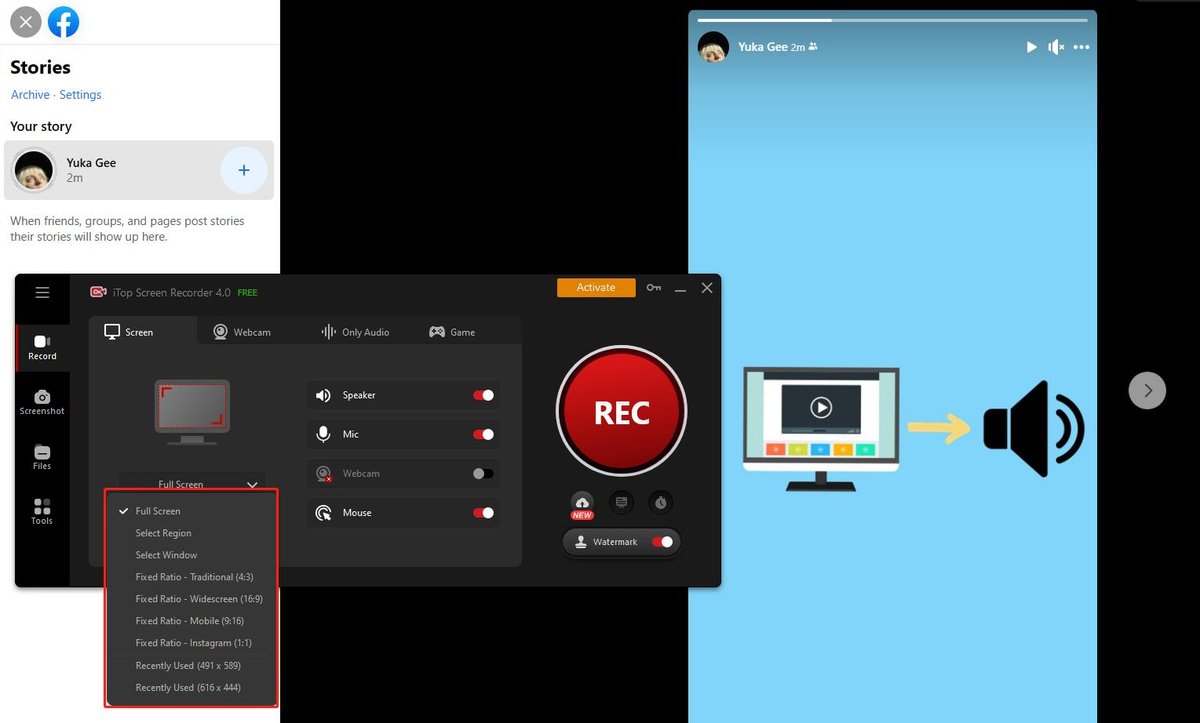
Ever wonder if you can snag a Facebook story for later viewing, and more importantly, can you screen record facebook stories without alerting the poster? It's a common question, especially when a friend shares something truly memorable that you want to keep. Understanding the ins and outs of screen recording on Facebook, particularly with stories, is key to navigating the platform thoughtfully.
At a glance:
- Facebook doesn't generally notify story creators when you screen record their stories.
- However, ethical considerations around privacy and copyright still apply.
- Know when you will trigger a notification (hint: disappearing messages).
- Understand Facebook's terms of service and the possible consequences of unauthorized content sharing.
- Learn practical ways to respect content creator's rights and privacy.
The (Mostly) Secret World of Facebook Story Screen Recording
Good news for those who want to preserve a fleeting moment: as a general rule, Facebook doesn't send a notification when you screen record a story. This means you can usually capture those funny videos or heartfelt updates without the poster knowing. But before you go on a screen-grabbing spree, let's dive into the details and potential pitfalls.
When Will Facebook Send a Screenshot Notification?
While Facebook stories are generally notification-free zones when it comes to screen recording, there's one notable exception: disappearing messages in Messenger's "Vanish Mode." If you try to screenshot or screen record a disappearing message, the sender will be notified.
Think of it like this: Vanish Mode is designed for ultra-private conversations. Facebook wants to ensure users feel comfortable sharing sensitive information without the risk of it being permanently recorded without their knowledge.
Example: Imagine a friend sends you a photo in Vanish Mode. If you screenshot it, they’ll see a notification indicating you did so.
Why Doesn't Facebook Always Notify?
The technical reasons are straightforward: detecting screen recording across all devices and operating systems is complex and unreliable. Screen recording tools operate independently of the Facebook app itself, making it difficult for Facebook to consistently detect their use.
However, the absence of notifications doesn't imply a free-for-all. Ethical considerations and Facebook's terms of service come into play. To learn more about the broader context, including Facebook's terms, Facebook screen recording guide provides a more detailed view of the subject.
Key Considerations Before You Hit Record
Even though Facebook usually doesn’t send screenshot notifications for stories, there's more to it than just avoiding the alert.
- Terms of Service: Facebook’s terms prohibit unauthorized collection, use, or sharing of content. Screen recording a story and then distributing it without permission could violate these terms, potentially leading to warnings, suspension, or even account bans.
- Copyright: Many Facebook videos are copyrighted material. Recording and distributing copyrighted content without permission is an infringement, and the content creator can pursue legal action.
- Privacy: Recording private stories without consent may violate someone’s privacy. This is especially true if the story contains sensitive information or depicts the person in a compromising situation.
Scenario: Let’s say you screen record a friend’s story where they’re talking about a personal struggle. Sharing that recording, even with good intentions, could be a breach of their privacy and trust.
Protecting Your Content: A Creator's Playbook
If you're a content creator sharing stories on Facebook, you might want to deter unauthorized recording. While you can't completely prevent it, here are some strategies you can use:
- Disclaimers: Add a disclaimer to your profile or in your stories stating that recording and sharing your content without permission is prohibited. While not legally binding, it sends a clear message.
- Watermarks: Use watermarks on your videos to make it more difficult for others to claim your content as their own.
- Consider Limiting Sharing: Adjust your story settings to control who can view and share your content. Limiting your audience to close friends might reduce the likelihood of unauthorized recording.
Example: A photographer might add a watermark to their Facebook Story showcasing their work to discourage unauthorized use of the images.
Respectful Recording: A User's Guide
Here's a simple guideline for screen recording Facebook stories responsibly:
- Ask for Permission: The golden rule is always to ask for permission before screen recording someone's story. A quick message like, "Hey, can I screen record your story? I want to save it!" goes a long way.
- Respect "No": If the person says no, respect their wishes. There might be personal reasons why they don't want their story recorded.
- Consider the Context: Even if you have permission, think about the context of the story. Is it a private moment? Does it contain sensitive information? Use your best judgment and avoid sharing the recording if it could potentially cause harm or embarrassment.
Quick Answers: FAQs About Facebook Story Screen Recording
- Q: Can Facebook definitively detect all screen recordings?
- A: No. Because screen recording apps operate independently of Facebook, reliable detection across all devices is not possible.
- Q: Is it illegal to screen record a Facebook story?
- A: It depends. Recording content without permission may infringe copyright or violate privacy laws. Always ask for permission, especially for copyrighted material or sensitive content.
- Q: Can I get banned from Facebook for screen recording stories?
- A: It's possible, especially if you repeatedly violate Facebook's terms of service by recording and sharing content without permission.
- Q: What if the story is public? Does that mean I can record it?
- A: Not necessarily. Even if a story is public, it doesn't automatically grant you the right to record and share it. Consider the creator's intent and ask for permission if you're unsure.
Making Smart Choices: A Framework for Responsible Screen Recording
Before you hit that record button, run through this quick checklist:
- Privacy Check: Does the story contain sensitive information?
- Copyright Check: Is the content likely copyrighted?
- Permission Check: Have I asked for and received permission to record?
- Sharing Intent Check: What am I planning to do with the recording? Will sharing it potentially harm or embarrass the creator?
If you answer "yes" to any of the first two questions or "no" to the permission question, proceed with caution. It's always better to err on the side of respect and privacy.
Beyond Screen Recording: Saving Facebook Stories the "Right" Way
Sometimes, a simple screen recording isn't the best approach. If you want to save a Facebook story, consider these alternatives:
- Ask the Poster to Send It: The easiest and most respectful option is to simply ask the person who posted the story to send you the video directly.
- Use Facebook's Save Feature (If Available): Some stories may have a save option available. This allows you to save the story within Facebook itself. Look for the three dots menu in the story to find the save option.
- Third-Party Apps (Use with Caution): There are third-party apps that claim to download Facebook stories. However, use these apps with caution, as they may violate Facebook's terms of service or compromise your privacy. Research any app thoroughly before using it.
Actionable Close
While you can often screen record Facebook stories without the poster knowing, remember that ethical considerations and Facebook's terms of service are paramount. Err on the side of respect, always ask for permission when possible, and be mindful of copyright and privacy. By following these guidelines, you can enjoy saving those memorable moments while staying on the right side of the digital social contract.
