Ever wondered if the person whose Facebook story you just screenshotted knows you saved it? Or what happens when you screen record a funny Reel? The question of "does facebook notify screen recording" pops up often, given our increasing awareness of online privacy. Let's dive into how Facebook handles (or doesn't handle) screen recording and screenshots across its platform.
At a glance:
- Facebook generally does not notify users when you take a screenshot or screen recording of their content.
- The exception is with disappearing messages in Messenger, where a notification may be sent.
- This applies to posts, stories, profile pages, Reels, and even content within Facebook groups.
- While you can't prevent people from capturing your content, understanding privacy settings can help.
- Always be mindful of copyright and follow Facebook's terms of service.
The Screenshot Secret: Facebook's Notification Policy
For the most part, Facebook operates on a "don't ask, don't tell" policy when it comes to screenshots and screen recordings. Unlike some other platforms known for their screenshot alerts, Facebook largely keeps these activities private. This means that if you see a post, story, or even profile picture that you want to save, you can typically capture it without the other person knowing. No need to worry about a notification popping up on their end.
When Does Facebook Notify About Screenshots? The Disappearing Message Exception
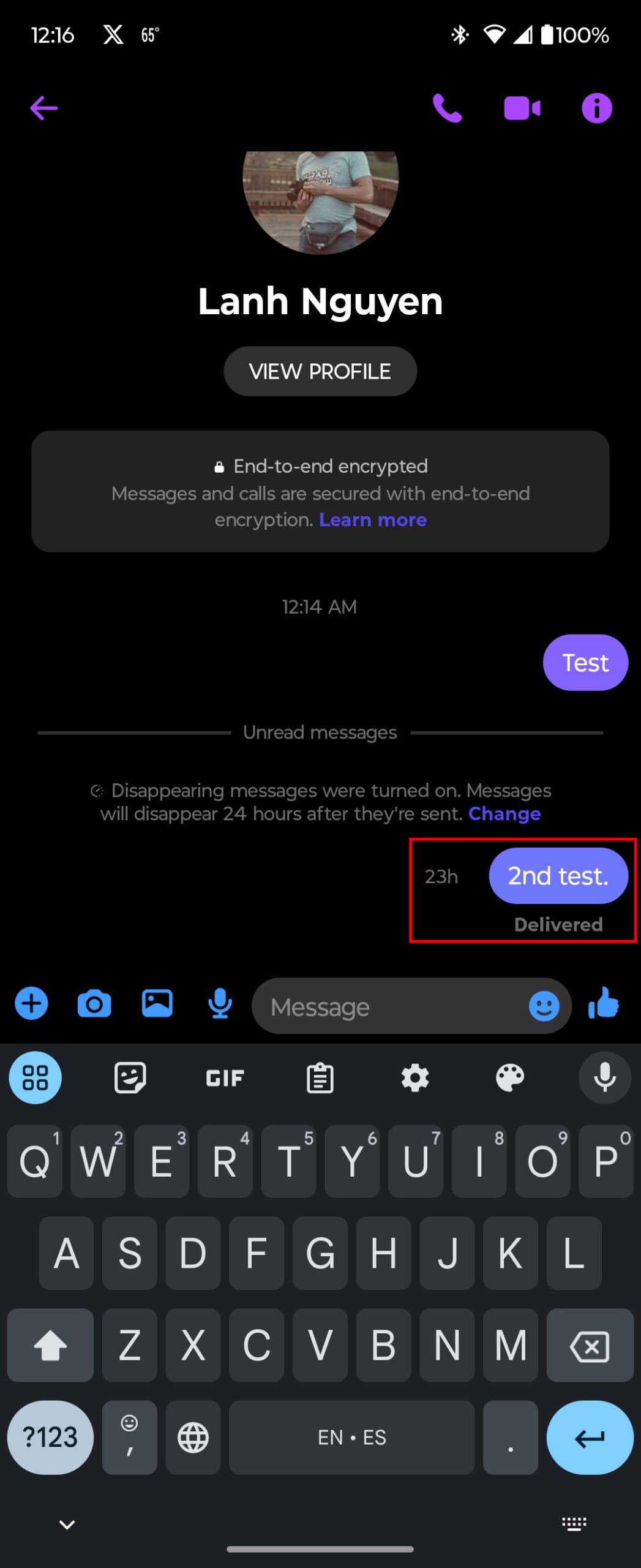
There is one notable exception to Facebook's general silence on screenshots: disappearing messages in Messenger.
Available directly in the Messenger app, this feature allows you to send messages, photos, and videos that vanish after a set period of time. It’s a digital version of passing notes in class that self-destruct after reading.
If you take a screenshot of a disappearing message, the sender may receive a notification. This is to ensure and foster trust in disappearing chats. However, it is best to assume a screenshot can be taken without the sender knowing. This is especially important when you are sending sensitive information.
Screenshots of Facebook Stories: Are Creators Alerted?
One of the most common questions is whether Facebook notifies you when someone screenshots your story. The answer is a simple and reassuring no. You can view and Capture Facebook Stories Easily without alerting the original poster. Whether it's a funny meme, a scenic photo, or a quick video update, feel free to screenshot away -- Facebook won't tell on you.
Screen Recording Facebook Reels and Videos: What You Need to Know
The same principle applies to Facebook Reels and videos. Facebook does not currently have a built-in feature that notifies users when someone screen records their content. You can screen record a Reel or video for later viewing (or sharing elsewhere - more on that later!) without the creator's knowledge.
Facebook Groups and Events: A Zone of Screenshot Secrecy
Worried about screenshotting content within a Facebook group or event? Fear not. Facebook does not notify users when someone takes a screenshot of content shared within groups or events. This means that whether you’re capturing a post, a comment, or an image shared in a group, Facebook won’t send notifications to other users. Go ahead and save that event information or a helpful tip shared in your favorite group.
Why Doesn’t Facebook Notify About Screenshots?
Facebook's approach to screenshots and screen recordings reflects a balance between user privacy and functionality. While some platforms prioritize alerting users to captures of their content, Facebook leans toward respecting the discretion of the user capturing the content. It boils down to Facebook respecting their user's privacy while using their platform.
Can You Tell if Someone Took a Screenshot of Your Content?
Unfortunately, Facebook’s current privacy settings and features do not offer a direct way to know if someone has captured a screenshot of your content. There's no magical "screenshot detector" built into the platform.
However, in some Facebook features like Messenger, you can see who viewed your message or story. While this doesn’t directly indicate a screenshot, it can give you an idea of who might have had the opportunity to take one. This only tells you a person viewed the content, it doesn't confirm they saved it.
Ethical Considerations: Screenshotting with Respect
Just because you can screenshot something without the other person knowing doesn't necessarily mean you should. It's important to be mindful of privacy and ethical considerations.
Consider the context of the content. Is it a private conversation? A personal photo shared with a small group of friends? Before sharing a screenshot, think about whether the original poster would be comfortable with it being shared more widely. Before deciding to Facebook story screen recording, consider what the repercussions might be.
Facebook's Terms of Service and Copyright: Staying on the Right Side of the Law
While Facebook may not notify users about screenshots, it's crucial to remember that its terms of service and copyright laws still apply. Facebook’s terms of service prohibit the unauthorized collection, use, or sharing of content from its platform. This includes recording and distributing content without the necessary permissions or licenses.
Many videos and other media on Facebook are protected by copyright. Screen recording and distributing copyrighted content without permission may infringe on the owner’s intellectual property rights. Always be sure you have the right to share content you capture.
Facebook and Privacy: Taking Control of Your Content
While you can't prevent people from screenshotting your content, you can take steps to protect your privacy on Facebook.
- Adjust your privacy settings: Control who can see your posts, photos, and profile information.
- Be mindful of what you share: Think twice before posting anything you wouldn't want to become public.
- Use the "Friends" setting: Limit your audience to only your close friends.
Dealing with Concerns: Actions to Take
If you suspect someone has taken a screenshot of your content and it’s a concern, sometimes the best approach is to ask them directly. A simple conversation can often resolve misunderstandings and address privacy concerns. Try reaching out to the person and expressing your concerns in a calm and respectful manner.
The ever-changing landscape of Facebook Privacy
It's important to remember that Facebook's privacy settings and features are subject to change. The platform is constantly evolving, and its approach to screenshots and screen recordings may change in the future, reflecting evolving digital privacy concerns.
Keep an eye on Facebook's official announcements and privacy policy updates to stay informed about any changes. What's true today may not be true tomorrow!
FAQs: Common Questions About Facebook and Screen Recording
Let's tackle some of the most frequently asked questions about Facebook and screen recording.
Q: Can I prevent people from screenshotting my Facebook posts?
A: Currently, there is no direct way to prevent people from screenshotting your Facebook content. You’re better off managing your privacy settings and being mindful of what you post.
Q: Does Facebook notify me if someone screen records my live video?
A: No, Facebook does not notify users if someone screen records their live video.
Q: Can I save images from Facebook to my phone?
A: Yes, you can save images from Facebook directly to your phone’s gallery. When you find an image you like, simply tap on it and look for the option to save it.
Q: Does Facebook notify users of new messages received with their encrypted messaging service?
A: Facebook’s encrypted messaging service notifies users of new messages through standard notifications. These appear in the top right corner of the Facebook interface or as push notifications on your phone. However, the content of the encrypted message remains hidden until you open the chat.
Taking Action: Protecting Your Privacy and Respecting Others
Understanding Facebook’s approach to screen recording is just the first step. Now it's time to take action to protect your own privacy and respect the privacy of others.
- Review your privacy settings: Make sure you're comfortable with who can see your content.
- Be mindful of what you share: Think before you post!
- Respect copyright laws: Don't share copyrighted content without permission.
- If in doubt, ask before you share: If you're unsure whether someone would be comfortable with you sharing a screenshot, err on the side of caution and ask them first. It’s better to be safe than sorry.
By taking these steps, you can help create a more private and respectful online environment for everyone. As you Screen recording Facebook Stories, remember to be ethical about the content you record and share. You should now feel secure that facebook send no alerts when you take screen recordings of facebook profiles or facebook stories screenshot. Consider some of Facebook's privacy settings, and remember you can use the disappearing messages feature. Do so, and you'll be well on your way to protecting your conversations online.
