Want to save those hilarious or inspiring Facebook Reels you come across? While Facebook doesn't make it obvious, it's definitely possible to save fb reels video to your computer. Let's break down the easiest methods, from using online tools to grabbing your own creations.
At a glance:
- Discover multiple methods to download Facebook Reels on your PC.
- Learn how to download your own Reels directly or public Reels using third-party tools.
- Understand important considerations like video quality, copyright, and safety.
- Identify reputable downloaders and avoid potential risks.
- Get a step-by-step guide to downloading private Facebook Reels.
Why Save FB Reels Video? Practical Reasons
Saving Facebook Reels opens up a world of possibilities. Maybe you want to compile a collection of inspiring videos. Or perhaps you need offline access for a long flight. Regardless of the reason, knowing how to save fb reels video is a valuable skill. It’s also handy for repurposing content (with permission, of course!) or simply archiving memorable moments. Imagine you found a super useful tutorial reel for fixing your sink right before a plumbing emergency – having it saved locally could be a lifesaver.
Downloading Your Own Facebook Reels: The Official Method
The simplest scenario is downloading Reels you created. Facebook allows you to directly download your own Reels from within the app or on the website.
Here’s how, directly on Facebook:
- Open Facebook: Either on your smartphone or your desktop browser.
- Navigate to Reels: Find the "Reels" section on your profile.
- Find the reel you want to download: Select the reel you want to download.
- Tap the Three Dots: Look for the three dots menu (…) typically found at the bottom or side of the Reel.
- Select Download Reel: A download option should be listed in the menu. Tap it to save the video to your device.
This method is straightforward and reliable. However, it only works for Reels you've personally uploaded. If you want to download someone else's public reel, you'll need a different approach.
Grabbing Public Reels: Third-Party Downloaders to the Rescue
Since Facebook doesn't offer a direct "Download" button for other users' Reels, third-party downloaders fill the gap. These tools analyze the Reel's URL and extract the video file, letting you save it to your computer.
Here’s the general process:
- Copy the Reel Link: On Facebook, find the Reel you want to download. Click the three dots (…) and select "Copy Link."
- Choose a Downloader: Select a reputable online downloader tool (more on this below).
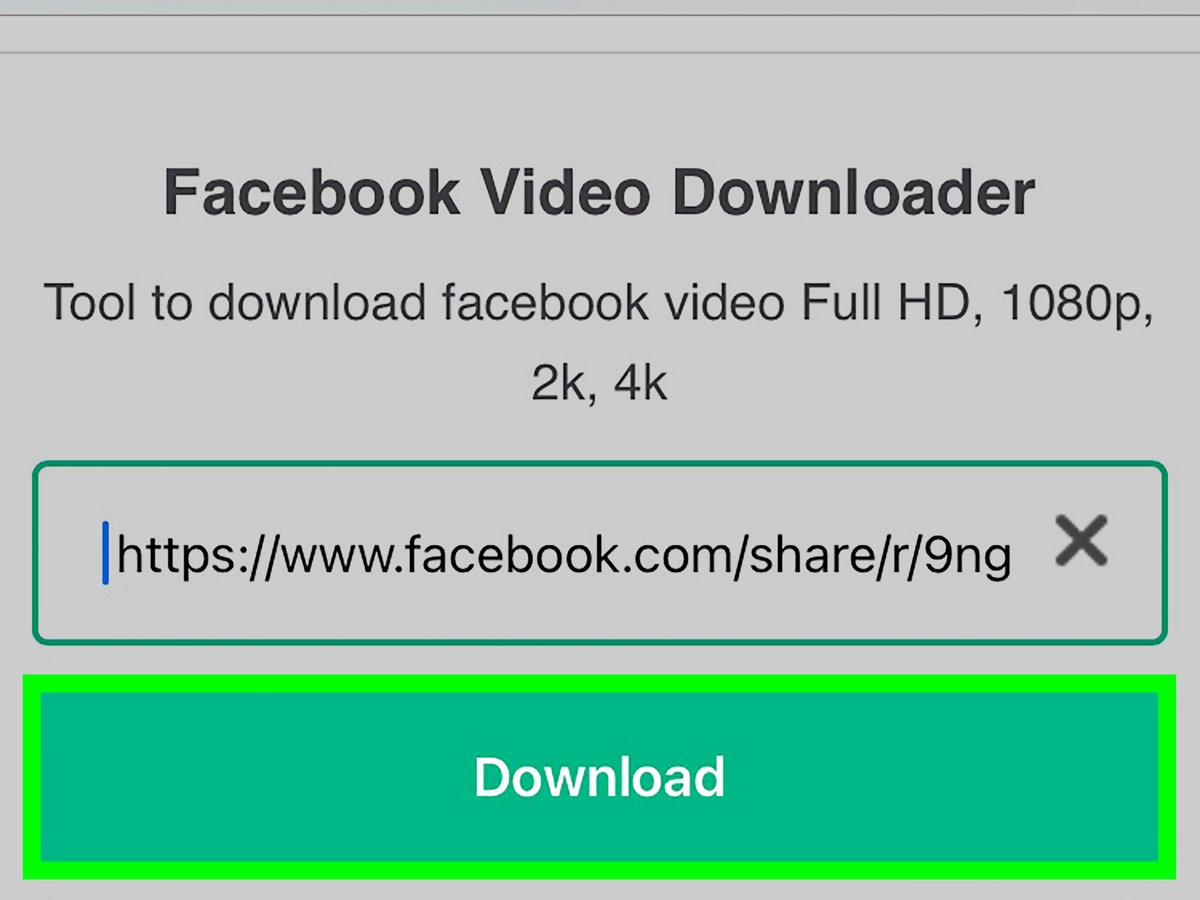
- Paste the Link: Paste the copied link into the downloader's input box.
- Download: Click the "Download" button, and the tool will process the video. You'll usually be presented with options for video quality (choose the highest available).
Popular Online Downloaders:
- FDOWN.net: Widely used for downloading Facebook videos, including Reels.
- ReelStomp4: Another popular option specifically designed for Reels.
- SnapVid: A versatile downloader that supports multiple platforms, including Facebook.
Remember to exercise caution when using online downloaders. Stick to well-known and trusted sites to avoid potential malware or security risks.
Decoding Private Facebook Reels: A Technical Workaround
Downloading private Facebook Reels requires a slightly more technical approach. Since these Reels are not publicly available, you'll need to access the page's source code to extract the video URL.
Here's how to do it:
- Open the Reel in a Browser: Access Facebook on your desktop browser and navigate to the private Reel. Usually this is on someone's timeline.
- Open in new Page: click on the time or date the video was posted to open it in a separate page
- View Page Source: Right-click anywhere on the page and select "View Page Source" (or use Ctrl + U on Windows, ⌘ + Option + U on Mac). This will open a new tab with the page's HTML code.
- Copy the Source Code: Copy all the text in the source code page (Ctrl + A, then Ctrl + C on Windows, or ⌘ + A, then ⌘ + C on Mac).
- Use a Private Downloader: Go to a tool like FDownload.app's private downloader.
- Paste the Code: Paste the copied source code into the input box on the private downloader.
- Download: Click the "Download" button. The tool will extract the video link from the source code and allow you to save the Reel.
Important: This method involves potentially sensitive page data. Only use it for Reels you have permission to download and be extremely cautious about the websites you use to parse the source code.
Browser Extensions: Download on the Fly
For a more streamlined experience, consider using a browser extension designed for downloading Facebook videos. These extensions add a "Download" button directly to the Facebook interface, allowing you to save Reels with a single click.
Examples of Browser Extensions:
- FDOWN.net Chrome Extension: Offers seamless integration with Chrome for downloading Facebook videos.
Things to consider when using browser extensions: - Permissions: Check the extension's permissions carefully. Avoid extensions that request access to excessive amounts of data.
- Reviews: Read user reviews before installing an extension to gauge its reliability and safety.
- Updates: Keep your extensions updated to ensure they're free of security vulnerabilities.
Essential Considerations Before You Download
Downloading Reels is convenient, but it's crucial to consider a few key aspects:
- Video Quality: Always opt for the highest available quality when downloading. Look for options labelled "HD" or "1080p" for the best results.
- Copyright: Respect content creators' rights. Only download Reels that you have permission to use. Downloading copyrighted material without authorization is illegal.
- Safety: Be wary of suspicious websites or downloaders that ask for your Facebook login credentials. Never provide your login information to third-party tools. When in doubt, err on the side of caution. The safest approach is to Download Reels to Your PC using your own reels.
The Reputable Downloader Checklist
Before using any tool to save fb reels video, check these points:
- Established Reputation: Look for tools that have been around for a while and have positive user reviews.
- Clear Privacy Policy: Ensure the downloader has a clear and transparent privacy policy.
- No Login Required: Avoid tools that require you to log in with your Facebook account.
- HTTPS Encryption: Verify that the website uses HTTPS encryption to protect your data.
- Minimal Ads: Excessive ads can be a sign of a less reputable downloader.
Troubleshooting Common Download Issues
Sometimes, things don't go as planned. Here are some common issues and how to address them:
- Download Fails: Try a different downloader or check your internet connection.
- Low-Quality Video: Ensure you're selecting the highest quality option during the download process.
- Audio Issues: Some downloaded Reels may have muted audio due to copyright restrictions.
- Website Doesn't Work: The website might be temporarily down. Try again later or use an alternative downloader.
Save FB Reels Video: Quick Answers You Need
Q: Is it legal to download Facebook Reels?
A: Downloading Reels for personal use is generally acceptable, but distributing or using copyrighted content without permission is illegal. Always respect content creators' rights.
Q: Can I download Reels from private accounts?
A: Downloading Reels from private accounts without permission is a violation of privacy and potentially illegal.
Q: Are online Reel downloaders safe?
A: Some are, but many are not. Only use reputable downloaders and avoid those that request your login information or display suspicious ads.
Q: Will the downloaded Reel have the same quality as the original?
A: Usually, yes. However, the quality may be slightly lower if the downloader compresses the video during the download process. Always choose the highest quality option available.
Q: Can I download Reels on my phone instead of my PC?
A: Yes. The process is similar, but you'll need to use a mobile browser or a dedicated Reel downloader app. The steps for downloading your own reels are noted above.
Your Actionable Playbook: Save FB Reels Video in a Snap
Here's a simplified decision process to guide you:
- Is it YOUR Reel?
- Yes: Download directly from Facebook. Done!
- No: Proceed to the next question.
- Is the Reel Public?
- Yes: Use a reputable online downloader (FDOWN.net, SnapVid, etc.). Remember the safety checks!
- No (Private): Only attempt the source code method with express permission. Be extra cautious about security.
Quick Start:
- Find that Reel you want.
- Copy the link.
- Paste into FDOWN.net (if public).
- Download the highest quality option.
- Enjoy! And respect copyright.
Armed with these methods and precautions, you can confidently save fb reels video for offline viewing, archiving, or inspiration—all while respecting content creators and staying safe online.
