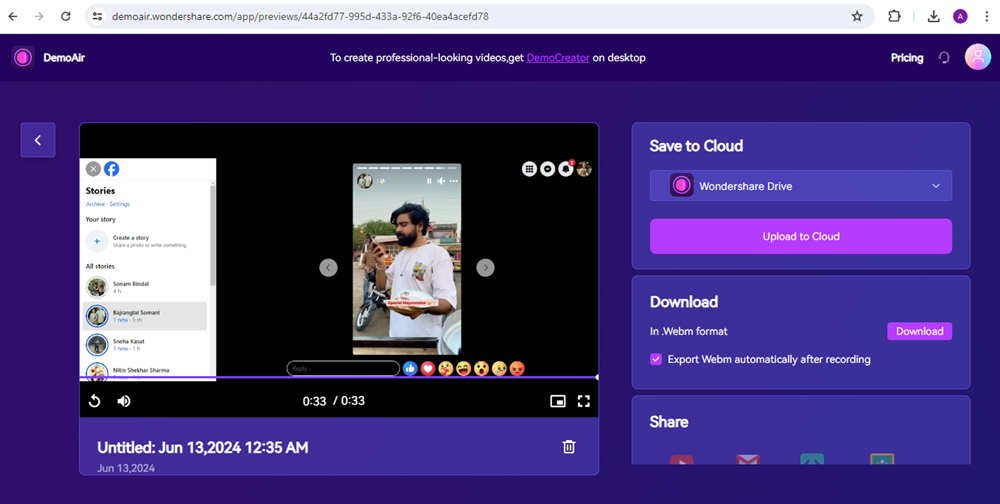
Worried about capturing that hilarious Facebook story your friend posted, but afraid they'll get a notification? You're not alone. Many users wonder about the privacy implications of screen recording Facebook content. The good news is, for the most part, you're in the clear. Let's break down exactly what happens when you screen record a Facebook story and what scenarios do trigger notifications.
At a glance:
- Screen recording Facebook stories, posts, reels, or profiles generally does not send notifications to the content creator.
- Vanish Mode in Messenger is the notable exception: screen recording here will alert the other user.
- Adjusting your own privacy settings can limit who sees your content in the first place.
- Consider the ethical implications: even without a notification, respect others' privacy.
- Focus on standard Facebook features like saving or sharing content within the app instead of screen recording.
The Truth About Screen Recording Facebook Stories & Regular Posts
Facebook understands that users capture content for various reasons – to save a funny moment, share something with a friend on another platform, or simply revisit something later. Because of this, Facebook generally allows screen recording of stories, regular posts, and even profiles without alerting the content creator. Think of it as taking a mental snapshot. Facebook isn't actively policing those "snapshots" in most cases.
However, it's vital to understand the generally part. Facebook's policies can evolve, and there are specific areas where they do provide notifications.
Vanish Mode: The Messenger Exception to the Rule
There's one significant exception to the "no notification" rule: Vanish Mode in Messenger. Vanish Mode is a feature where messages disappear after they've been viewed. It's intentionally designed for sensitive or fleeting exchanges.
Here's the catch: If you take a screenshot or screen recording of a conversation within Vanish Mode, the other participant will be notified immediately. This is a core feature of Vanish Mode, designed to protect user privacy.
Example: You and a friend are planning a surprise party via Vanish Mode. If you screen record the conversation to remember the details, your friend will receive a notification that you did so. This protects the secrecy of the surprise!
This doesn't apply to standard Messenger chats. Regular chats are not protected by this feature, so feel free to screenshot/screen record as needed.
Why the Confusion Around Screen Recording Notifications?
The confusion often stems from experiences with other platforms (like Snapchat, which does notify for screenshots) and occasional changes to Facebook's features. Policies change/evolve, so its best to stay up to date.
Also, there are third-party apps that claim to detect when a screenshot or screen recording occurs. These are usually scams. There is no evidence that these apps work, and they often violate Facebook's terms of service.
Protecting Your Own Facebook Stories and Posts
While you can't prevent someone from screen recording your content (except in Vanish Mode), you can take steps to control who sees it in the first place. Think of this as "digital curtains" for your Facebook life. You can find deeper details in this Facebook screen recording guide.
Here are some key strategies:
- Privacy Settings: Adjust your default audience. Instead of "Public", set your posts to "Friends" or even a custom list. This controls who can see your content by default.
- Profile Locking: This feature restricts non-friends from seeing your posts, profile pictures, and stories. It's a robust way to limit your exposure to strangers.
- Close Friends List: Share sensitive or personal stories only with your "Close Friends" list. This ensures only trusted individuals see certain content.
- Think Before You Post: Before sharing anything, ask yourself if you'd be comfortable with it being public. If not, reconsider posting it at all.
Practical Playbook: Screen Recording Facebook Stories Responsibly
Here's a quick checklist for navigating the ethics and technicalities of screen recording:
- Identify the Content Type: Is it a Facebook story? A regular post? A Messenger conversation in Vanish Mode? This determines whether a notification is likely.
- Consider Your Relationship with the Poster: Are you close friends? A distant acquaintance? This should influence your decision to screen record.
- Ask Permission (If in Doubt): If you're unsure whether the person would be comfortable with you screen recording their content, simply ask.
- Respect Privacy Settings: If someone has set their profile to private or is sharing content only within a "Close Friends" list, respect those boundaries. Avoid screen recording and sharing content that was clearly intended for a limited audience.
- Use Built-In Features: Facebook has built-in features for saving images and videos. Rather than screen recording, use the "Save" or "Share" options within the app. This respects the creator's intended use of the platform.
Scenario: Your friend shares a hilarious meme on their Facebook story. Instead of screen recording it, use the "Share" button to send it to another friend within Messenger. This is a more respectful approach.
Quick Answers: Common Questions About Recording
Let's tackle some frequently asked questions:
Q: Can someone tell if I screenshot their Facebook profile picture?
A: No. Facebook does not notify users when someone screenshots their profile picture.
Q: Is there a way to block someone from screen recording my Facebook stories?
A: No, you can't technically prevent someone from screen recording your stories (outside of Vanish Mode scenarios). Your best defense is adjusting your privacy settings.
Q: Can third-party apps detect screen recording on Facebook?
A: No reliable evidence supports this. Be wary of apps claiming to do so. They're often scams or violate Facebook's terms.
Q: Does Facebook notify for screen recording Reels?
A: No, Facebook does not notify users when you screen record a Reel. However, do be mindful that copyright laws exist and you should only use the video for personal use.
Navigating the Digital Landscape: Key Takeaways
Ultimately, screen recording Facebook stories generally lacks notifications. However, the Vanish Mode exception highlights the importance of respecting user privacy. Adjust your own privacy settings to control who sees your content, and when in doubt, ask for permission before capturing someone else's content.
Here's a simple decision tree:
- Is it a Vanish Mode conversation?
- Yes: Screen recording will notify the other person.
- No: Proceed to step 2.
- Would the person likely be okay with me recording this?
- Yes: Proceed with caution, but you're likely safe.
- No: Reconsider recording, or ask for permission.
By following these guidelines, you can navigate the digital landscape responsibly and ethically.
